 Clipmoth
Save video from YouTube, TikTok and 1,000+ sites on Windows
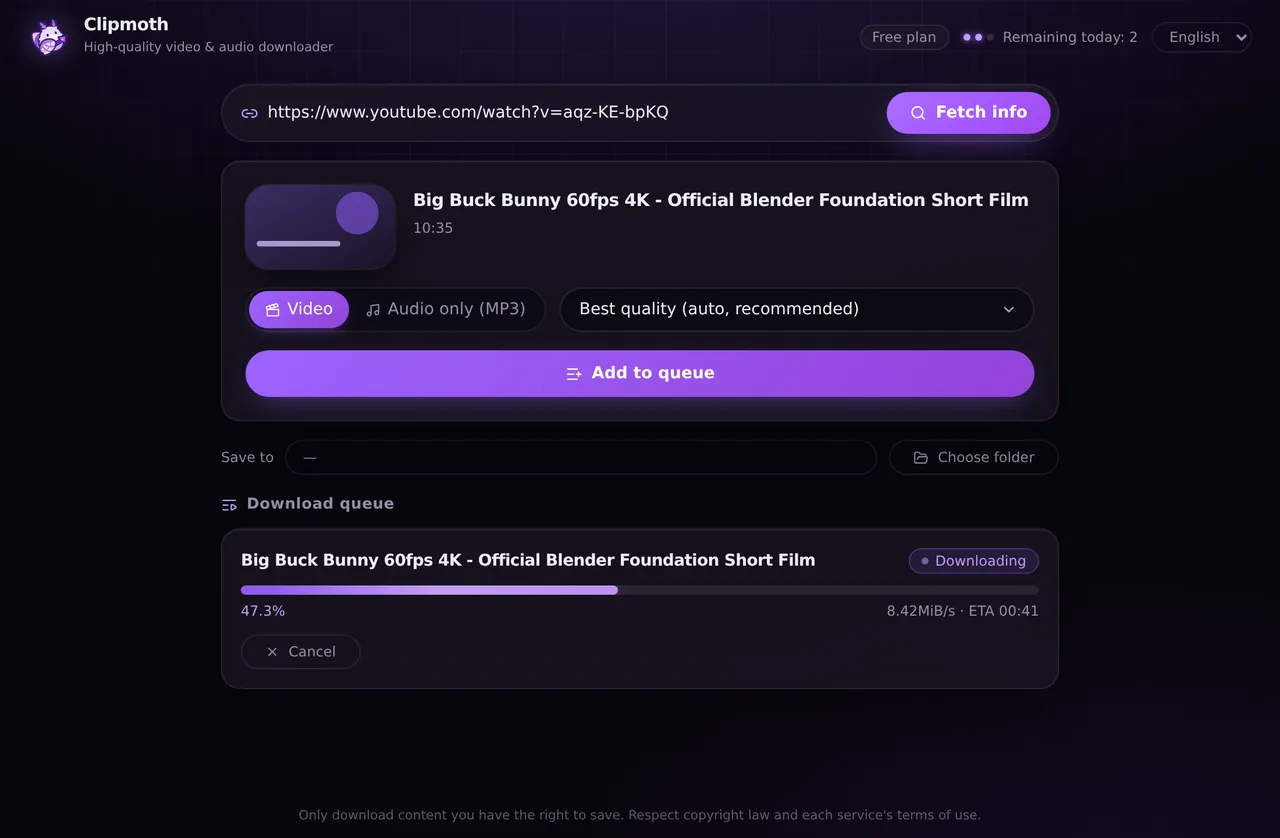
Paste a link, choose a quality, and the app saves it. It works with 1,000+ sites and saves up to 4K, whole playlists or MP3. Files don't pass through our servers.
This app runs on Windows PCs only. On a Mac or Chromebook, the Chrome extension saves video playing on ordinary pages.
What it does
YouTube, TikTok, X, Instagram, bilibili and 1,000+ sites
Videos, Shorts, reels and posts. Paste the link to save it.
Up to 4K, or audio only as MP3
Pick the quality you want, or switch to audio only.
Whole playlists and a download queue
Add a playlist or several links; each one shows its progress, speed and time left.
Runs on your PC
Files go from the site to your folder, not through our servers. No ads, no account.
Install in 3 steps
Download the installer
Click “Download for Windows”. The file is Clipmoth-Setup.exe.
Run it
If Windows shows “Windows protected your PC”, click “More info”, then “Run anyway”. It installs for your user account only — no administrator rights needed.
Paste a link and save
Copy a video's address from your browser, paste it into Clipmoth and press “Fetch info”, then choose a quality and press “Add to queue”. (The app’s screens are in English and Japanese.)
Why does Windows warn me?
Microsoft SmartScreen warns about programs that are new and haven't built up a download reputation yet. Clipmoth's installer is not code-signed yet, so you may see “Windows protected your PC”. Click “More info” → “Run anyway” to continue.
Only run the installer you downloaded from clipmoth.com. If you'd rather not, the Chrome extension covers video on ordinary pages without installing anything on Windows.
Requirements
- Windows 10 or 11, 64-bit (x64)
- Microsoft Edge WebView2 — already part of Windows 10/11; the installer fetches it if it's missing
- About 80 MB to download; installs per user, no administrator rights
- An internet connection — the download engine updates itself as sites change
What's inside
- yt-dlp — the open-source download engine (The Unlicense), kept up to date automatically
- FFmpeg — joins video and audio and converts to MP3 (GPL)
- No ads, no bundled offers, no tracking
Licenses and source offer: third-party licenses.
Free, or unlimited with Premium
Free
10 downloads a day at full quality — 4K, playlists and MP3 included. No account.
Premium — $9.99 once
No daily limit. The same key also removes the limit in the Chrome extension, on up to 10 devices. 14-day money-back guarantee.
See PremiumSaving from an ordinary web page?
News sites, online courses and HLS/M3U8 streams are the Chrome extension's job: it saves the video playing on the page in one click (not YouTube). It also works in Edge, and it's unlimited for the first 30 days.
Only download content you own or have the right to save. Clipmoth does not get around DRM.