
On this page
YouTube’s offline feature lets you watch videos inside the app. If you need a video file for editing or backup, you need a different method. This guide covers Premium, free downloads of your own uploads, and other tools, with the limits and rules for each.
The quick answer
- Offline on a commute or a flight: YouTube Premium ($15.99 a month in the US) or Premium Lite ($8.99). Downloads stay inside the YouTube app.
- A real file of your own or licensed video: yt-dlp (free, command line) with ffmpeg, or a maintained desktop app. For your own uploads, YouTube Studio has a free download button.
- About to paste a link into a converter site: in 2026 most fail on YouTube or serve ads instead of a file.
Why simple tools give you 360p or a silent file
YouTube serves picture and sound in one stream only at low resolutions. 1080p and above come as a video-only stream plus a separate audio stream, which a tool must merge with ffmpeg. A tool that grabs one file gets the low-resolution stream or HD with no sound. Converter sites also run on shared servers that YouTube throttles and hits with bot checks (PO tokens), so they fail often.
Official options and terms
- Premium: $15.99 a month in the US, $26.99 for a family plan, after the April 2026 increase for new subscribers (existing subscribers from June 2026). ¥1,280 in Japan.
- Premium Lite: $8.99 (¥780). It has included background play and downloads since February 24, 2026, but not for Shorts or music.
- The catch: no file. Downloads stay in the app, play while the device reconnects at least every 30 days, and stop when the subscription ends.
- Your own uploads: in YouTube Studio, open Content, use a video's three-dot menu and choose Download, up to five times per video per day. You get YouTube's processed MP4, not your original master.
YouTube's Terms forbid downloading outside its own features, so a third-party tool, ours included, can breach them even when no copyright is infringed. Keep to your own uploads, Creative Commons videos and content you have permission to save. We are not lawyers; this is orientation, not legal advice.
Terms and law in detail
Terms. YouTube's Terms of Service say you may not download any part of the Service or its content unless the Service specifically permits it (the Premium button, the Studio download), YouTube or the rights holder gives written permission, or the law allows it.
Copyright. Copyright law is a separate layer and varies by country. Downloading copyrighted work without permission may be illegal where you live.
Japan. Knowingly downloading an infringing upload is unlawful under the Copyright Act. It covers video and music, and since 2021 all types of works.
Tools and their limitations

| Tool | Type | Works on YouTube? | Watch out for | Price |
|---|---|---|---|---|
| yt-dlp | Command line | Yes: 4K/8K, playlists, subtitles, chapters; updated within days of YouTube changes | Terminal only; needs ffmpeg for 1080p and above | Free |
| 4K Video Downloader Plus | Desktop app | Yes, including playlists and channels | Free tier is limited; owners of old “lifetime” licenses reportedly had to buy Plus again | $15/yr · $25 one-time |
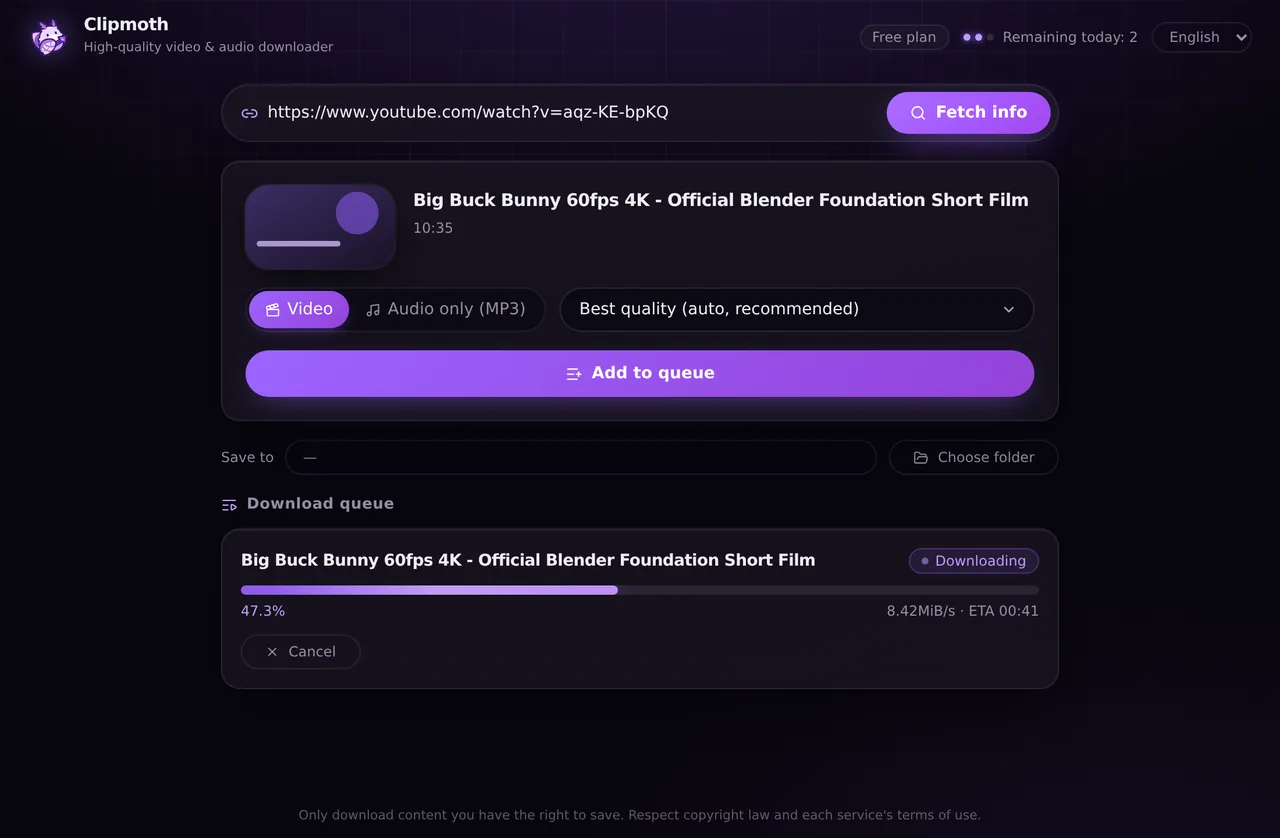
| Clipmoth (our product) | Desktop app (Windows) | Yes: 4K, playlists, MP3, queue UI | Windows only; our Chrome extension does not work on YouTube, so use the app | Free 10/day · $9.99 one-time |
| Video DownloadHelper | Browser extension | Reported unavailable in the Chrome version; mixed results on Firefox (as of Oct 2026) | Built for video embedded in ordinary pages, not for YouTube | Free (some features paid) |
| Online converter sites | Web | Rarely, and at low resolution or with silent HD | Pop-ups, redirects; antivirus warnings reported; Cobalt's public instance has YouTube disabled | “Free” |
Here is how yt-dlp and our Windows app differ in setup and everyday use.
| yt-dlp (command line) | Clipmoth for Windows | |
|---|---|---|
| Cost | Free, unlimited | Free 10/day · $9.99 one-time |
| Setup | The binary plus a separate ffmpeg install on your PATH for HD | One installer, ffmpeg included |
| Use | Type commands and options (-f, --merge-output-format …) | Paste the URL, pick a quality. Download queue; MP3 is one switch |
| Updates | Run yt-dlp -U yourself | The engine updates itself |
| When it fails | Read the English error output | The reason is shown in plain words (unsupported, login needed, region-locked …) |
| Best for | Fine-grained options, scripts, cookies and proxies; Mac and Linux | Windows users who want to click, not type |
Command line: install yt-dlp from its install page and ffmpeg, then the whole job is yt-dlp "URL".
Desktop apps such as 4K Video Downloader Plus (Lite $15 a year, Personal $25, Pro $45, per its product page) do the same job with buttons. Pick one that still gets updates.
Browser extensions are a poor fit, because Chrome Web Store policy does not allow extensions that download from YouTube.
Converter sites are the category to avoid: even Cobalt's public instance has had YouTube disabled since mid-2025, and y2mate was shut down in October 2025.
Clipmoth is our own product; weigh that as you read.
The yt-dlp commands you will actually use
- Best quality:
yt-dlp "URL"picks the best video and audio and merges them (ffmpeg required). - See the formats:
yt-dlp -F "URL"marks each as combined, “video only” or “audio only”. - Cap the resolution:
yt-dlp -S "res:1080" "URL"prefers 1080p. - Audio only:
yt-dlp -x "URL"keeps the original Opus or M4A; see our YouTube to MP3 guide before adding--audio-format mp3. - Playlist and updates:
-o "%(playlist_index)s - %(title)s.%(ext)s"numbers the files;yt-dlp -Ufixes most “403” errors.
On your phone
On mobile, use Premium. Apple's App Store Review Guidelines (5.2.3) bar apps that save media from sources like YouTube without authorization, and Google Play has a similar rule, so Android apps that promise it are sideloaded APKs. Technical users can try an open-source yt-dlp front end from F-Droid. Otherwise, download on a computer and move the file by AirDrop, Google Drive or USB.
When it doesn't work
- Age-restricted or private video. Most tools need a logged-in session, so online sites fail without explanation.
- Live stream. It is not a file yet. Tools refuse or record from now until it ends.
- 403, “not available” or a crawl. YouTube changed something or is throttling you. Update yt-dlp, or your desktop app.
- Silent HD file. Audio was never merged. Install ffmpeg, or use a tool that merges for you.
- Rented or bought movies. They use Widevine or PlayReady DRM. No legitimate tool touches them.
Frequently asked questions
Can I download a YouTube video legally without Premium?
Yes: your own uploads via Studio, videos marked “Creative Commons Attribution license (reuse allowed)” under the description, and videos whose owner gave written permission. YouTube's search filters include a Creative Commons option for finding them.
What happens to Premium downloads if I cancel?
They stop playing, so they are closer to a rental than a file you own. A family plan covers up to five additional household members, and Premium Lite does not include YouTube Music Premium.
Can I download a whole playlist or channel at once?
Yes: yt-dlp accepts a playlist or channel URL and downloads every public video. Private playlists need your login, which --cookies-from-browser reads from a browser profile.
Do YouTube-to-MP3 sites still work?
Mostly not: y2mate.com and 11 related sites were shut down in October 2025 after IFPI enforcement. YouTube's original audio is Opus at about 128 to 160 kbps, so a “320 kbps” MP3 made from it is not better than the source.
If you need a file, not a subscription
Clipmoth is our own downloader. The Windows app supports YouTube, TikTok, X, Instagram and over 1,000 sites, with options for 4K video, playlists and MP3.
The Chrome extension saves video playing on websites such as news sites and online courses, including HLS and DASH streams. It does not support YouTube.
Both offer 10 free downloads a day. Premium removes the limit in both for a one-time payment of $9.99, with a 14-day refund policy.
Get the Windows app Add to Chrome (for video on regular websites)